Working at scale
Small projects hide the problem. With a dozen dialogues you can hold the whole
story in your head: you know which scene sets knows_poison, you know nothing
is orphaned, and renaming a flag is a two-minute grep.
At a hundred dialogues none of that is true. This page shows the views that exist for that moment, on a real project — parlance-monte-cristo, a public demonstration project with 112 dialogues, 296 nodes, 31 characters, 14 quests and 100 variables, which you can clone and open yourself.
The flow map: every scene at once
Selecting Dialogues without opening one shows the project-level flow map.
Each dialogue is a node; edges are the cross-scene jumps — set_active_dialogue
routes and play_cutscene chains.
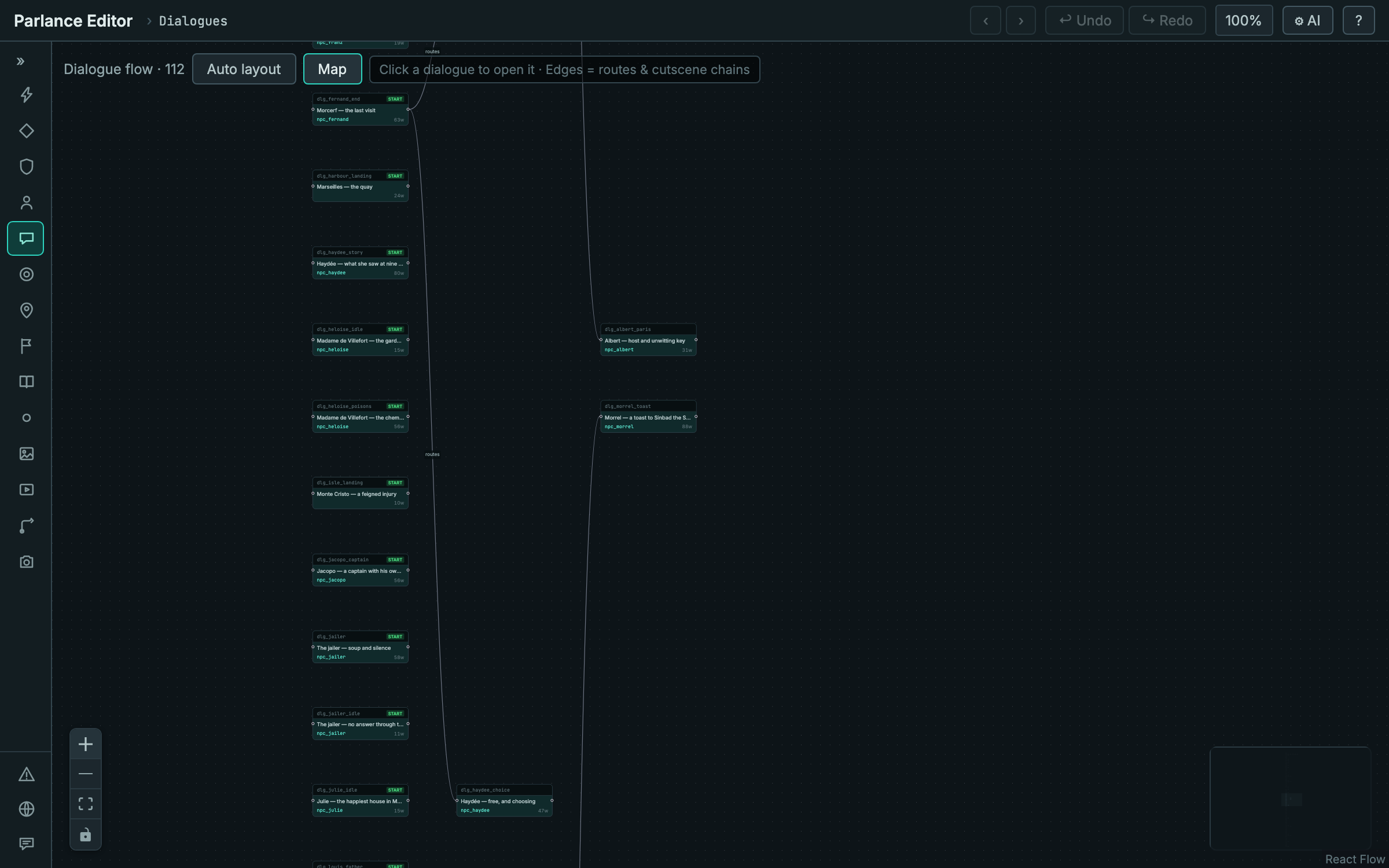
What this view tells you is shape: which scenes hand off to another, and which are entered only from a location or a character's offers. Most dialogues in a healthy project are the latter, so a sparse map is normal — what you are looking for is the clusters, and anything stranded that should not be.
Filtering the list
The entity search narrows by id, name, or tag. Here the same 112 dialogues are
filtered to the 32 tagged gossip — the count in the header reads 32/112.
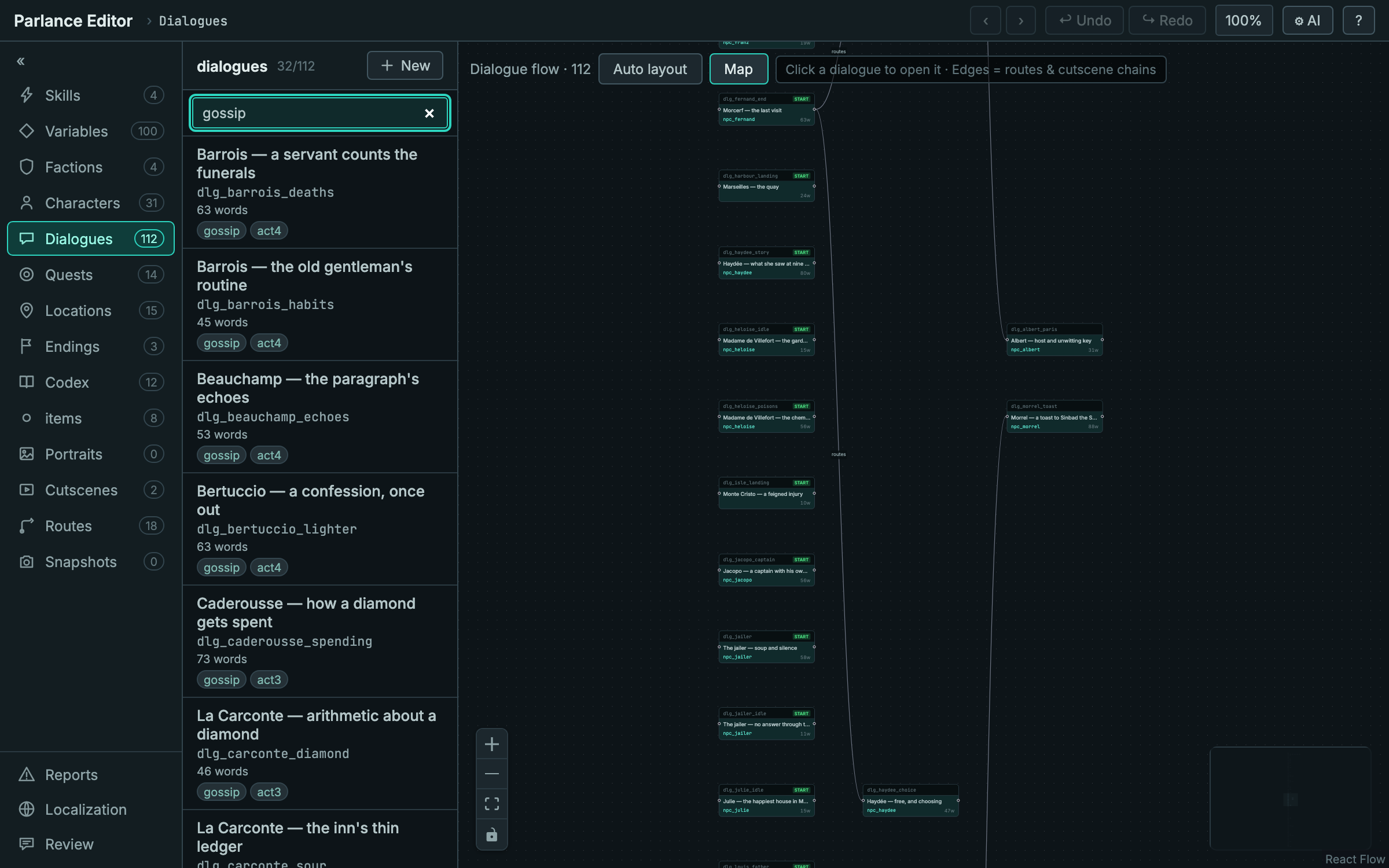
Tagging by act, by type, or by workstream is what makes a large project navigable; the filter is how you get back to a working subset.
One dialogue, in detail
Opening a dialogue swaps the map for its node graph, with the inspector on the right.
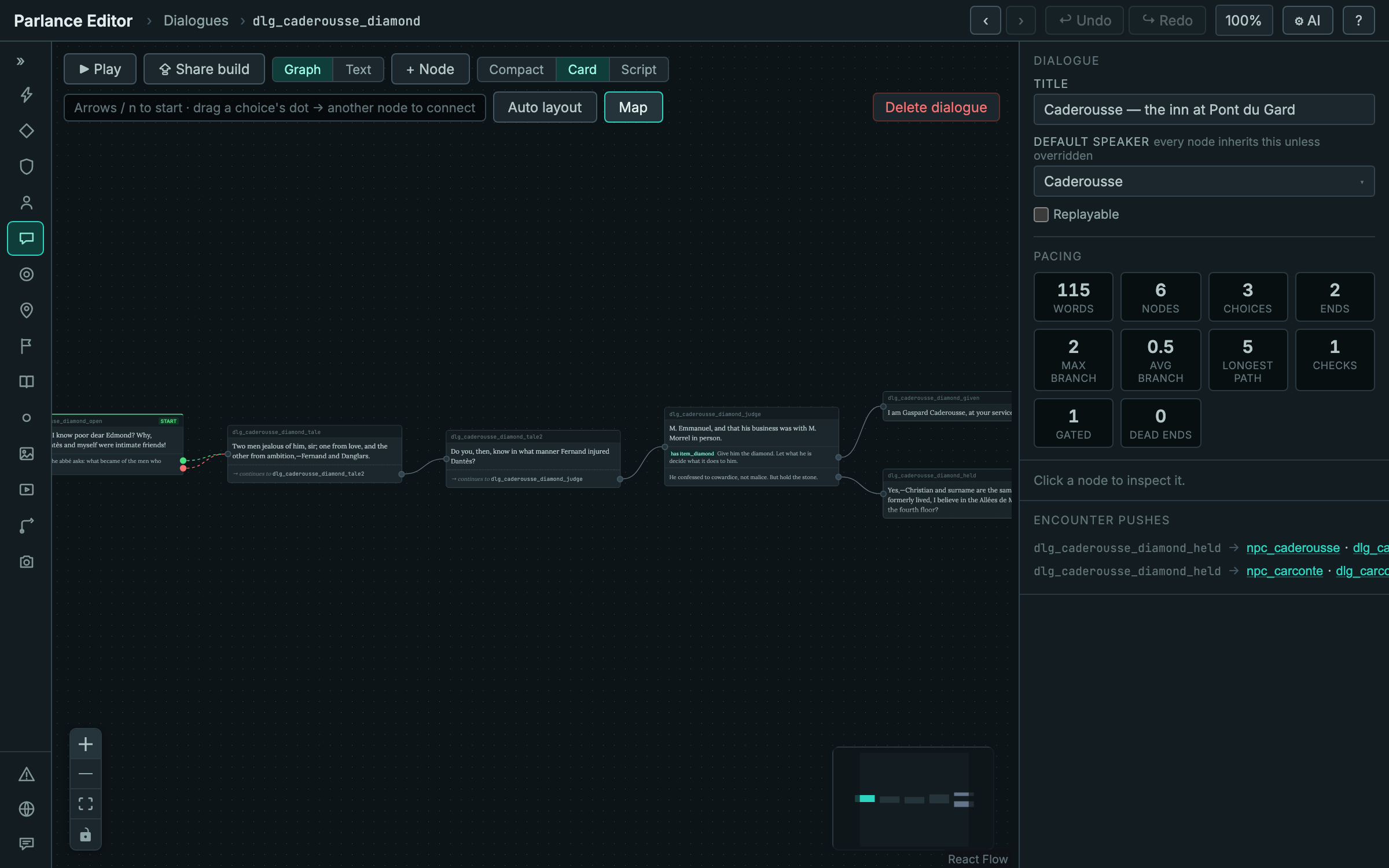
Worth noticing in the inspector: pacing statistics (words, nodes, choices, max and average branch, longest path, checks, gated choices, dead ends) and encounter pushes — the routes that re-point which dialogue a character offers when this scene ends. Two here send Caderousse and La Carconte to different follow-ups.
Quest dependencies
The quest canvas without a quest open is the dependency graph. Edges are derived
from flags: an edge exists where one quest writes a flag (in a stage's
onComplete or an outcome's effects) that another quest's availableWhen
needs.
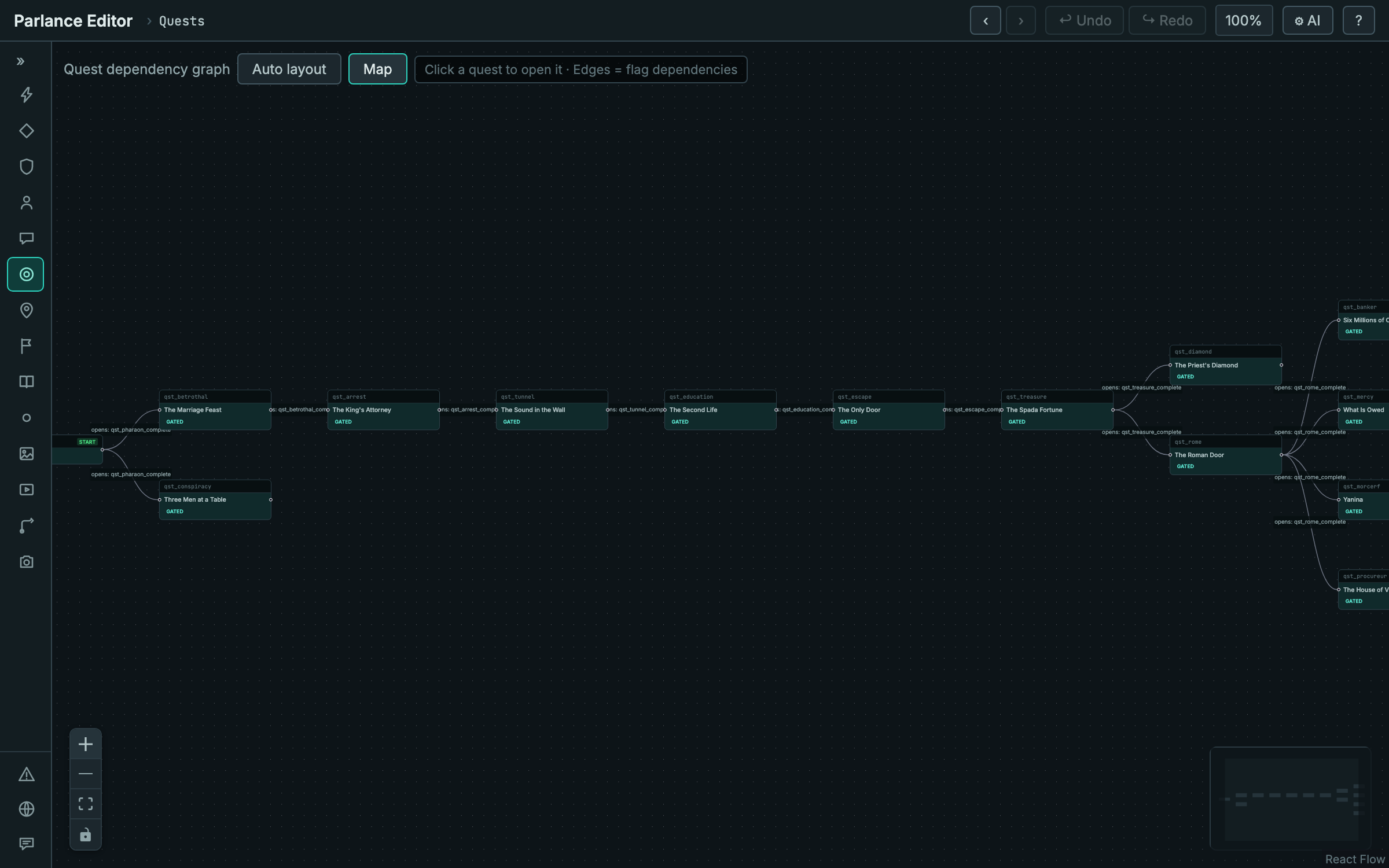
This project's shape is a long spine — the homecoming, the arrest, the prison, the escape, the treasure — that then fans out into four parallel threads.
A subtlety worth knowing. Flags written by dialogue
onEnterare invisible to this derivation. A fully-chained story whose quests are gated only on dialogue-written flags will draw no edges at all, even though it plays correctly. If your dependency graph is empty, that is usually why: have each quest emit a completion marker from its terminal outcome, and depend on that.
Find usages
The Reports panel's find-usages index answers the question that gets expensive with scale: where is this id actually used?
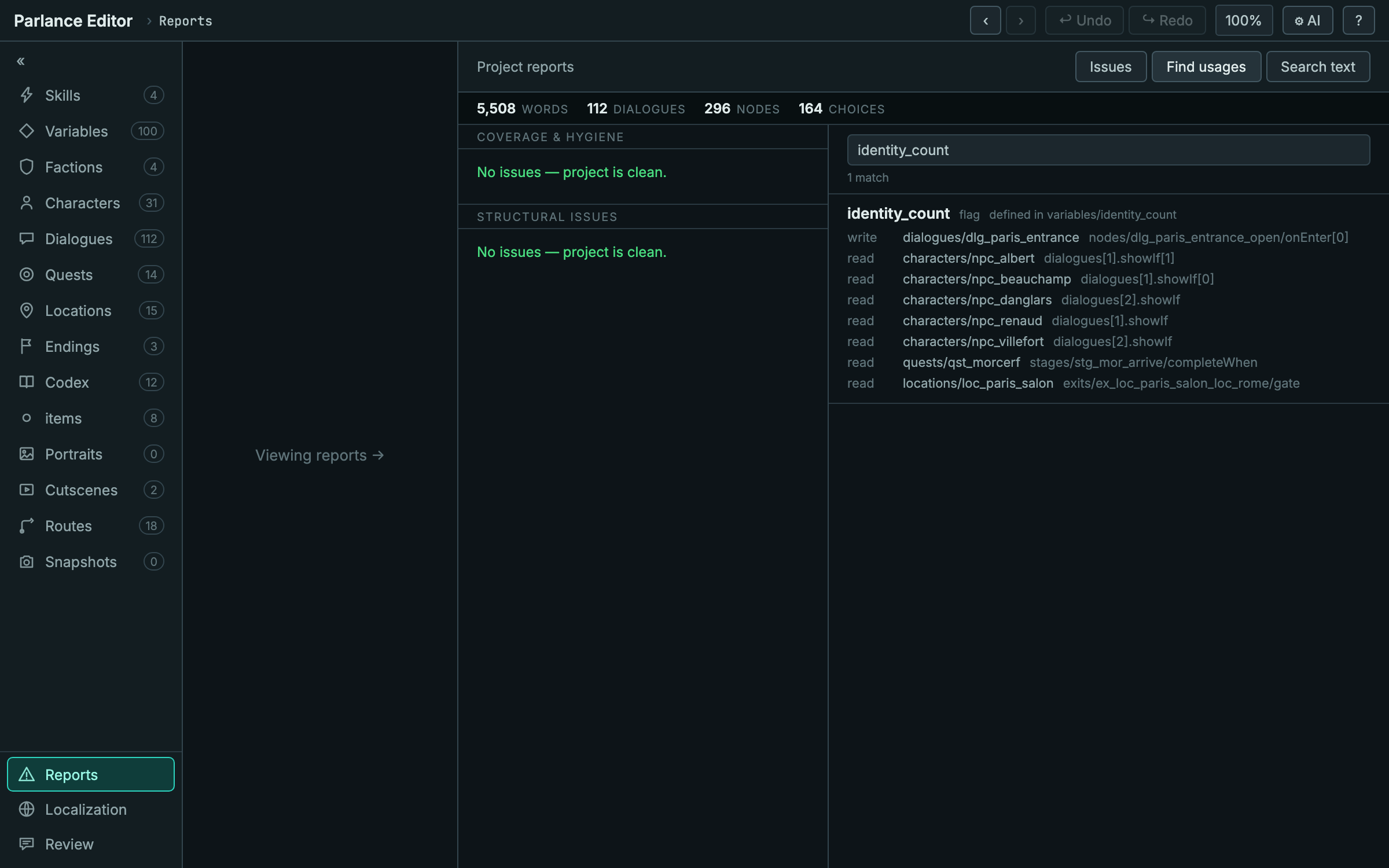
One flag, one write, eight reads — across five characters' offers, a quest
stage's completeWhen, and a location exit's gate, each with the exact JSON
path. This is what makes renaming or retiring a variable safe.
Coverage and structural issues
The same panel's Issues tab groups everything the validator found, by family.
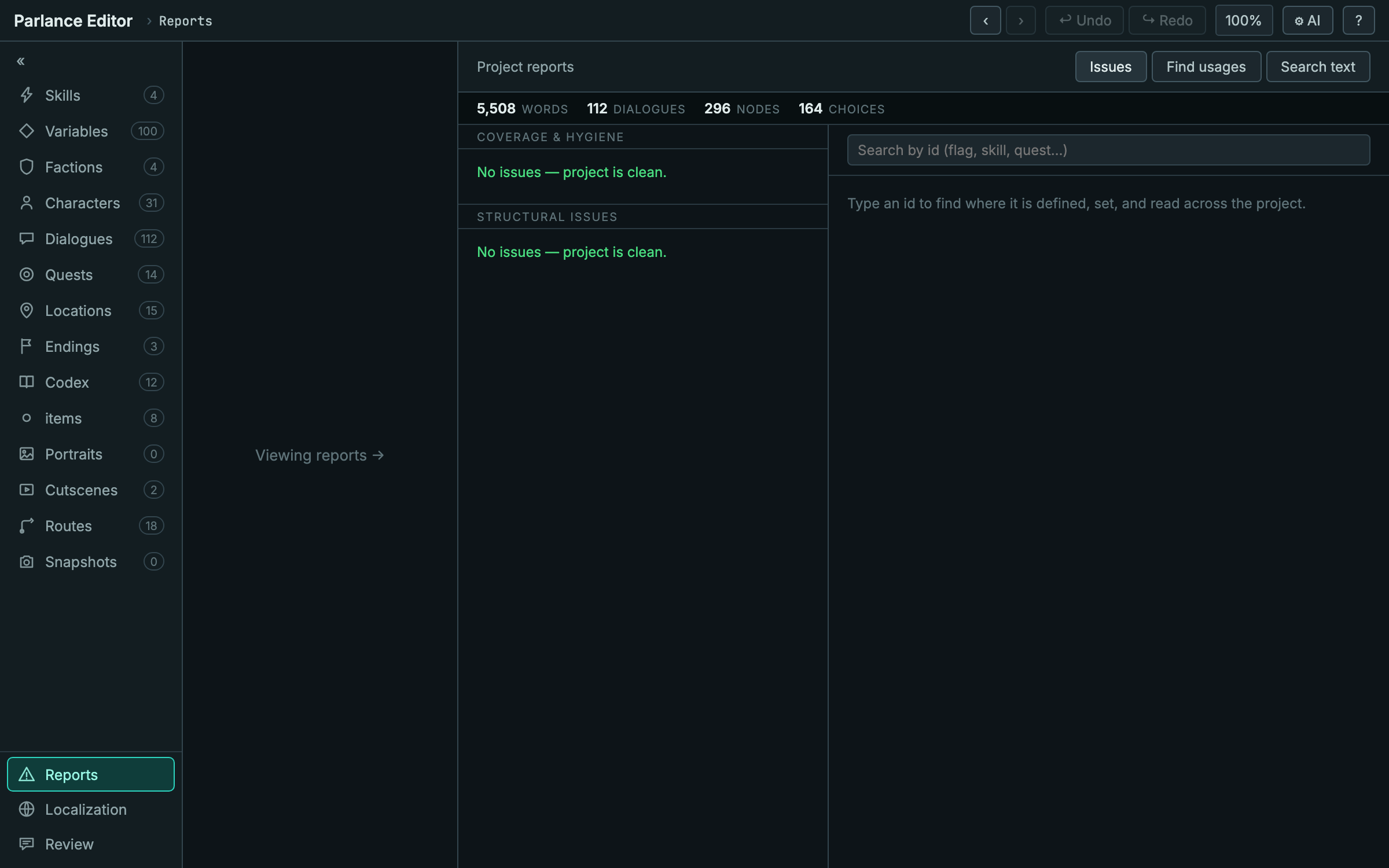
The checks that matter most here are the ones that only bite at scale:
characters with no dialogue assigned, flags set but never tested, nodes
unreachable from entry, endings with no path leading to them, and nodes where
every choice is conditional — a player who fails all the conditions gets stuck
with nothing to click.
That last one is worth calling out, because it is invisible in every other tool: the dialogue is reachable, its references resolve, and it validates cleanly. Only a player arriving with the wrong flags ever finds it.
Two kinds of large
This page is about structural scale — the point where a project has more moving parts than you can hold in your head, which for most stories arrives somewhere around a hundred dialogues. Monte Cristo is firmly there: 112 dialogues, 31 offer-driven characters, 14 quests.
It is not large by word count. At 5,500 words it is a demonstration piece, not a novel-length game, and the two axes are worth keeping separate — a project can be structurally demanding long before it is big, and the views on this page are the answer to the first problem.
For the second — how the editor behaves as raw content volume grows, measured out to two million words — see Performance.
Try it yourself
Everything on this page is a public project you can open in about a minute.
- Download Parlance if you have not already, and launch it.
- Get the project — either download it as a zip and unpack it, or clone it if you use git.
- Point Parlance at that folder. It has a
data/directory and aparlance.config.json, so the app recognises it immediately.
The sidebar should read 112 dialogues, 31 characters, 14 quests. Reports should be clean.
It is a demonstration project rather than a game, so edit it freely — change a gate, break a reference, and watch which panel notices first. That is the fastest way to learn what each view is actually for.